
Version 0.7.0 · free and open source
Your local server for Windows, in one small file
Ninho starts Apache, MySQL, PHP, Node.js, Mailpit and Redis from one control panel and downloads the newest stable version of each from the official sites. No installer: just open Ninho.exe.
For anyone who builds with PHP, WordPress, Laravel or Node.js on Windows.
Windows 10 and 11, 64 and 32 bit · MIT or GPL-3.0 · Linux and macOS in preview
| Module | Port | State |
|---|---|---|
| Apache | 80 | StoppedRunning |
| MySQL | 3306 | StoppedRunning |
| PHP Server | 8000 | StoppedRunning |
| Mailpit | 1025, 8025 | StoppedRunning |
| Redis | 6379 | StoppedRunning |
Illustration of Ninho's control panel: each module with its port and its state.
What Ninho does
Everything a PHP, WordPress, Laravel or Node.js project needs on your PC, without an installer and without a single setting to edit by hand.
Servers and versions
One panel to start, stop and update what runs on your machine.
One file, no installer
Open Ninho.exe from any folder or a USB stick; its settings stay in ninho.json beside it. Prefer the Start menu? One click installs it, no administrator needed.
Always the newest stable versions
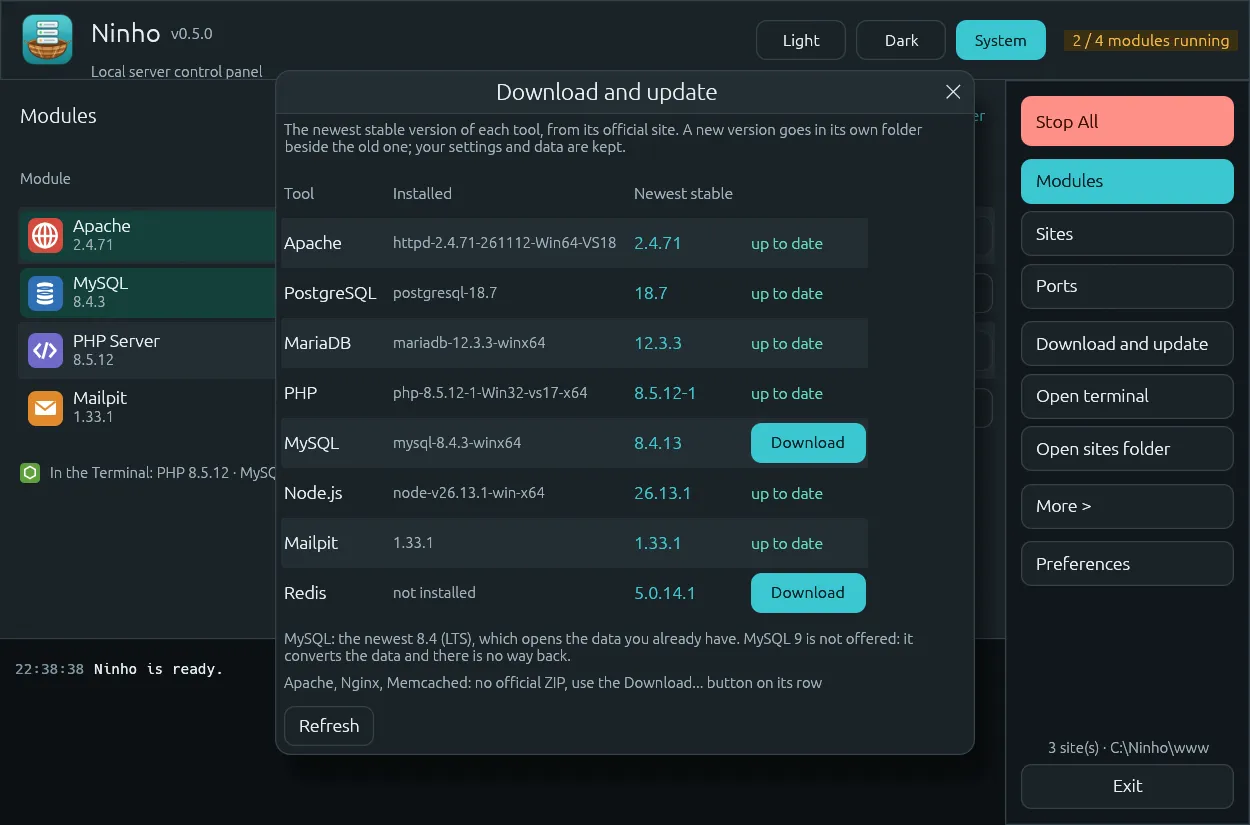
Download and update reads the official sites (windows.php.net, dev.mysql.com, nodejs.org, GitHub) and installs PHP, MySQL, Node.js, Mailpit and Redis side by side with the versions you already have. Your settings and data are kept.
More than one of each
Two MySQL servers, each with its own data folder, several PHP servers or Redis instances on different ports, all at the same time.
Classic control panel
A module table with PID, port, Start, Stop, Admin, Config and Logs, like the XAMPP Control Panel, plus WampServer-style menus to switch versions and turn PHP extensions on and off.
Sites
Every folder becomes a site with its own address.
Every site gets an address
Each folder in www opens at http://name.test; Ninho writes the hosts file and the Apache and Nginx configs for you. One switch gives every site HTTPS, with a certificate from Ninho's local authority (trusted for your user only).
Sites tab and PHP per site
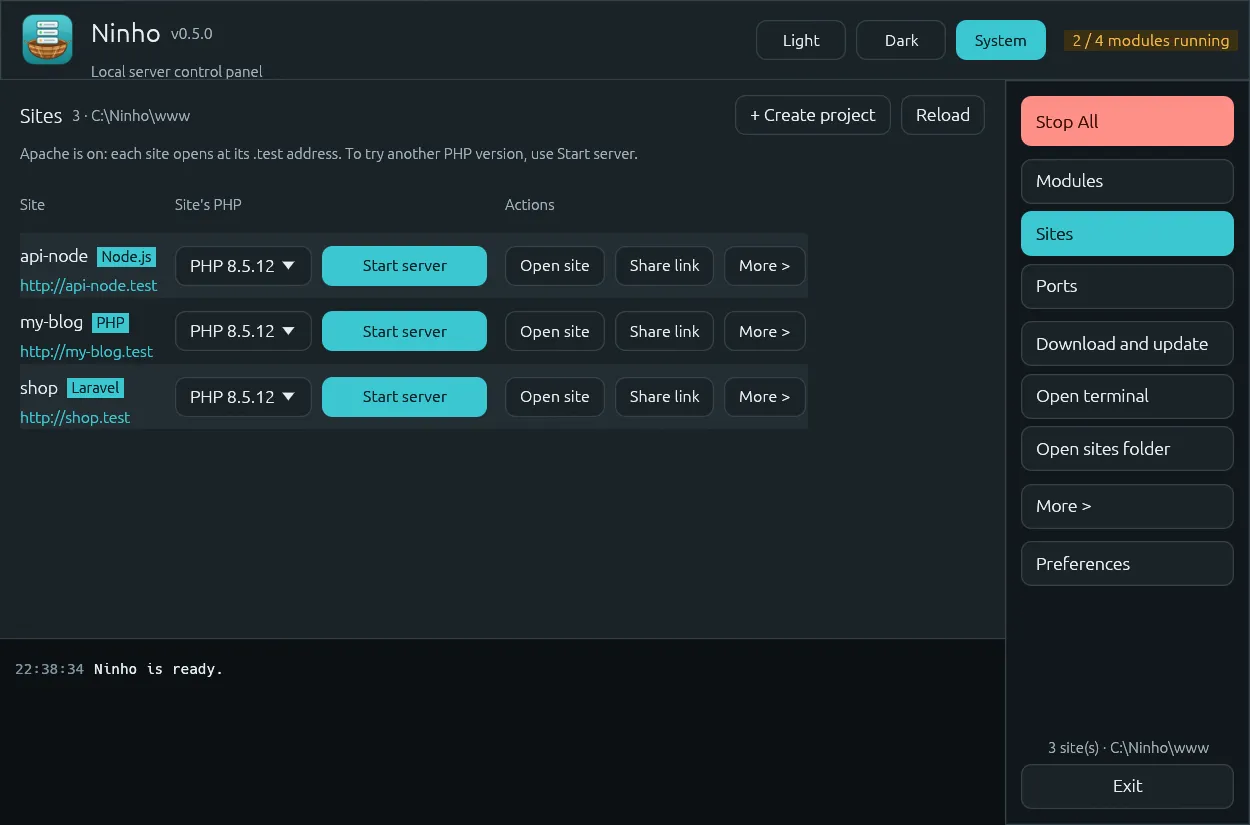
Each site shows its kind (Laravel, WordPress, Symfony, Node.js...), its address and the Open, Terminal and VS Code buttons. A site can run on its own PHP server with its own PHP version, side by side with Apache.
Project file and quick projects
A ninho.project.json in a site's folder keeps the PHP and Node.js version, servers, port and database, and travels with your repo. To start from scratch: blank, WordPress, Laravel or Symfony, with its database created at the same time.
Share a site
A public https://….trycloudflare.com link in one click (Cloudflare quick tunnel, no account), with a QR code to open it on your phone.
Ports, databases and mail
The things that usually hurt in a local setup, in plain sight.
See every port
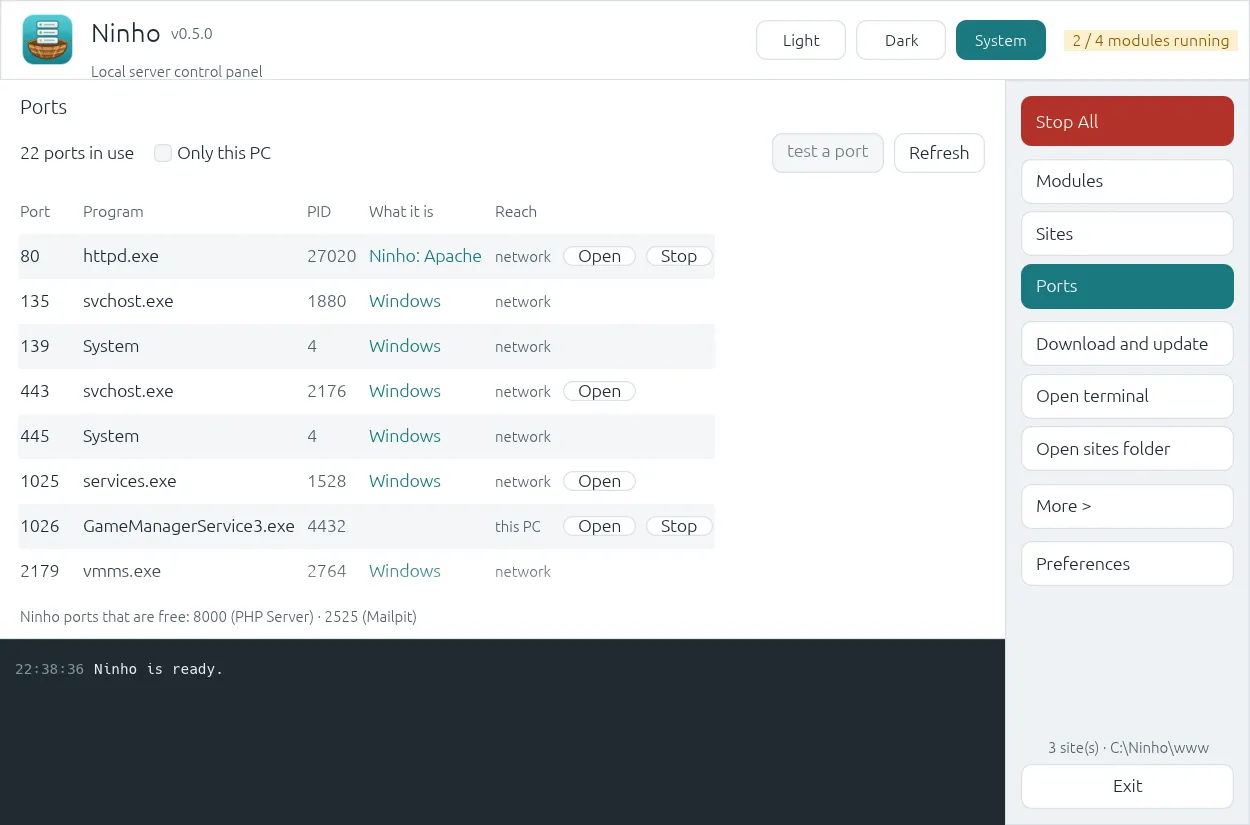
The Ports tab lists every program listening on your PC, tells you who holds port 80 or 3306 and can stop it. If Windows itself holds a port (it happens with 1025, Mailpit's default), Ninho explains it and moves the server to a free port in one click. When Docker is running, its containers show up there.
Databases
Back up, restore and import .sql files for every MySQL server. Admin opens HeidiSQL when installed, otherwise Adminer. The root password can be changed from the Config menu and remembered, encrypted by Windows.
Mail catcher
Mailpit catches every e-mail your app sends; open the inbox from the Admin button.
Tools at hand
PHP, the MySQL client, Node.js, npm, Composer and Git on the PATH of the Terminal button. Xdebug in one click, PHP extensions switched from the Config menu and a live log viewer with a filter.
Day to day
Details that save time after the first week.
Coming from XAMPP, WampServer or Laragon?
Ninho finds the install, copies your sites into www and your databases into its own MySQL. The old install is only read, never changed.
Updates itself
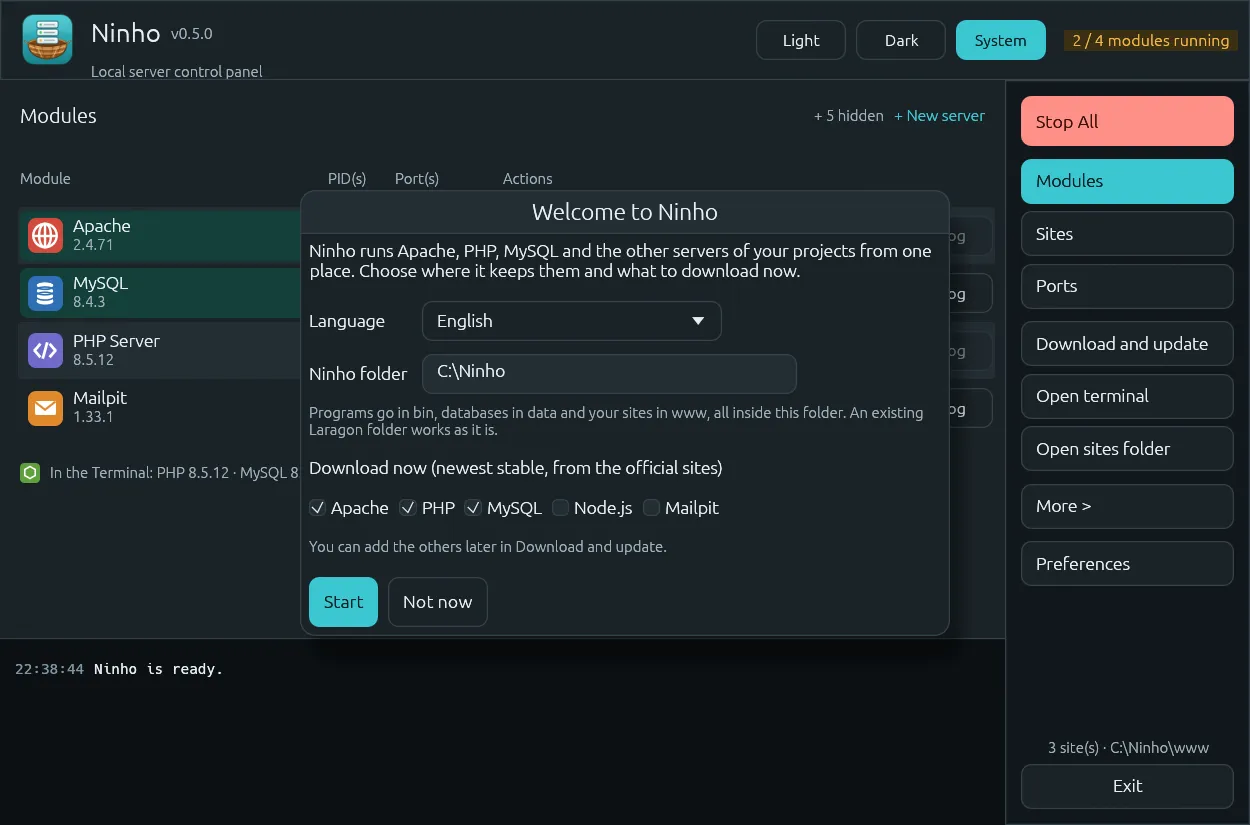
When it opens, it checks GitHub for a newer version, downloads the right exe, checks its SHA-256 and restarts. You can turn it off in Preferences. On the first start, a welcome window asks for your language, folder and what to download.
Command line and AI agents
Ninho.exe status --json, start and stop work without opening the window. With Ninho.exe mcp, agents such as Claude Code and Cursor can see and control your servers (an MCP server).
Tray, themes and 18 languages
An icon next to the clock with a status dot (green, orange or grey); closing the window keeps Ninho running. Light, dark, or follow Windows. It follows the Windows language on the first start.
Modules Ninho can manage
- Apache
- Nginx
- Caddy
- PHP
- MySQL 8.4 LTS
- MariaDB LTS
- PostgreSQL
- MongoDB
- Node.js LTS
- Redis
- Memcached
- Mailpit
- Xdebug
- Composer
MySQL 9 is not offered on purpose: it converts the data folder and there is no way back. Composer and Git go on the PATH when they are already installed.
Inside Ninho
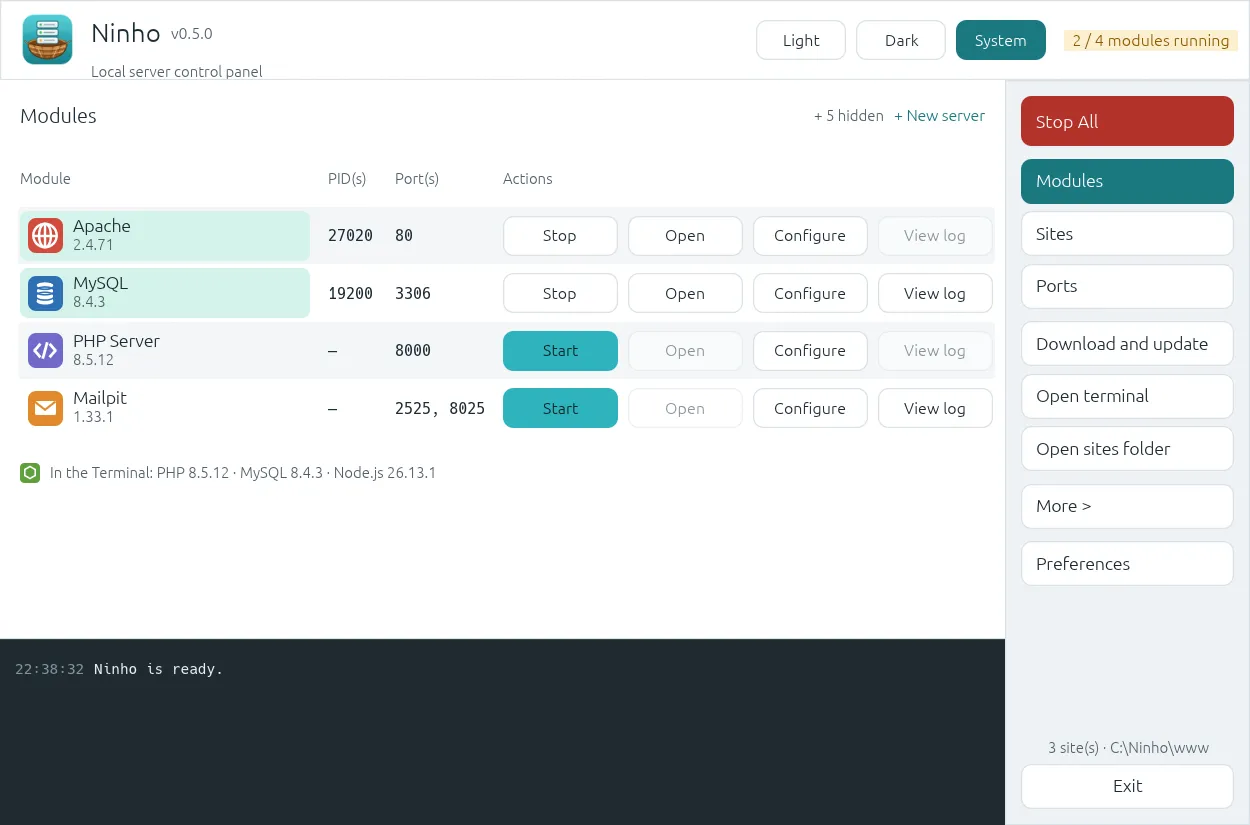
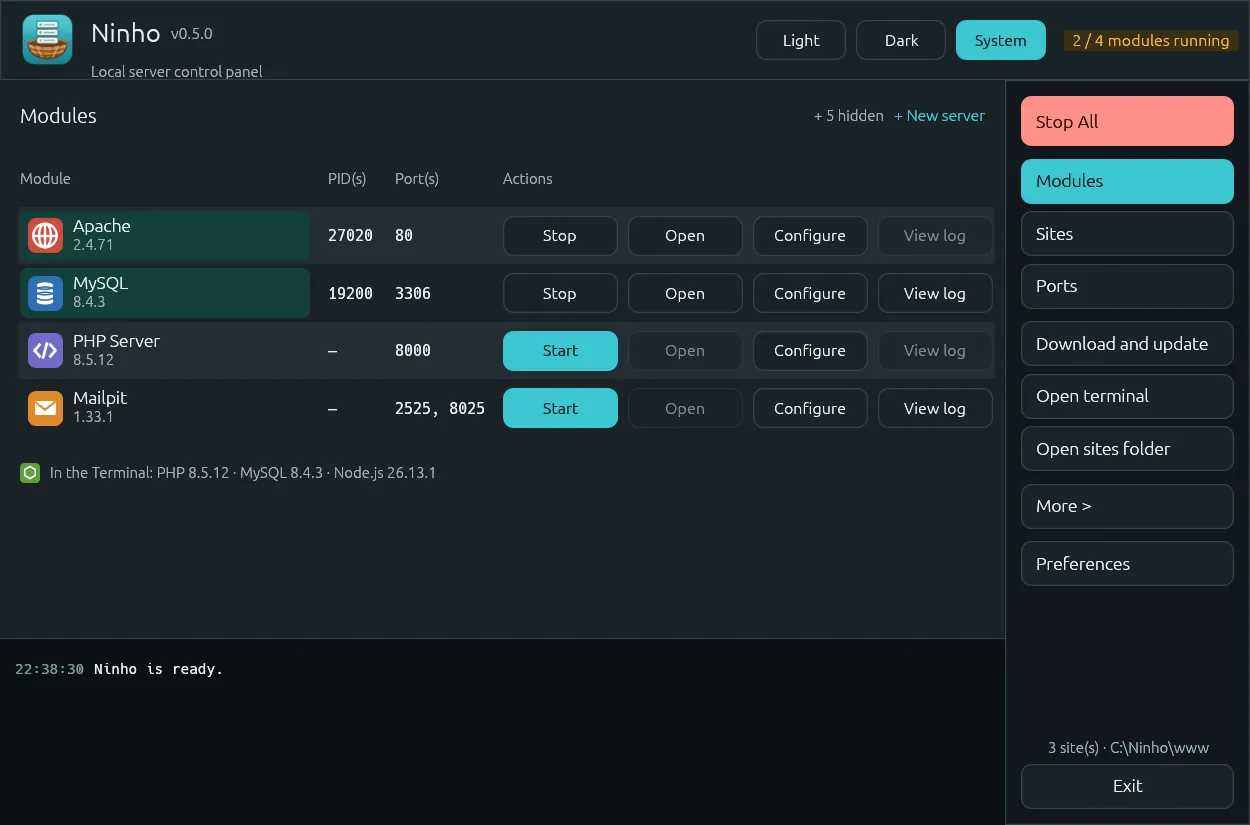
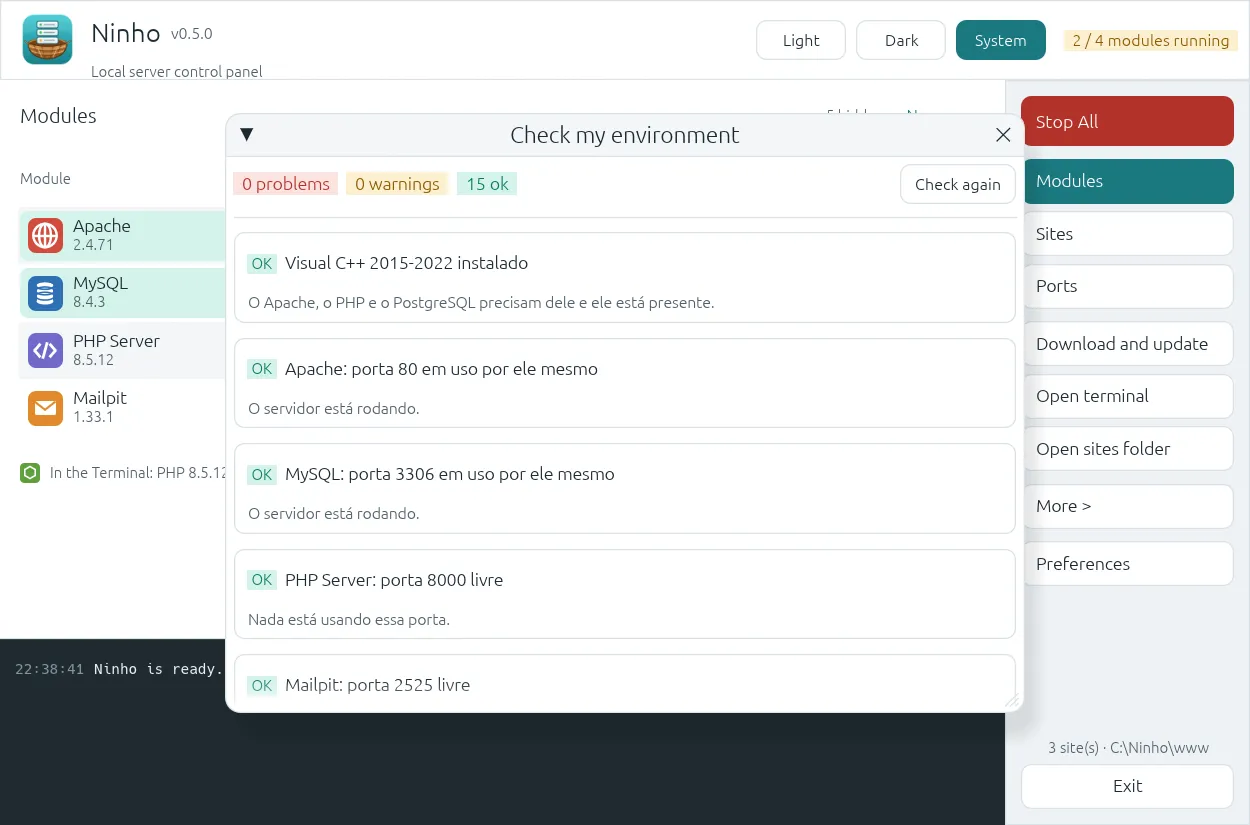
Real screenshots of the program. They come from an earlier version (0.5.0): since then the theme became a single button, among other small changes. Ninho speaks 18 languages.
Quick start
From download to your first page in a few minutes.
Download the file
Get Ninho-x64.exe (Windows 10 or 11, 64-bit) or Ninho-x86.exe (32-bit Windows) from the latest release.
Pick a folder
Put it in an empty folder, for example
C:\ninho. If you already use Laragon, put it inC:\laragon: Ninho uses thebin,dataandwwwfolders it finds beside it.Open it and download what you need
On the first start, the welcome window asks for your language, the Ninho folder and what to download now (Apache, PHP and MySQL come checked). Later, Download and update brings PHP, MySQL and the rest.
Start all
Click Start all. Your sites live in
www:www\bloganswers athttp://blog.test.
Prefer a package manager?
On Scoop, the package is already on the current version:
scoop bucket add ninho https://github.com/phmrmkv/scoop-ninho
scoop install ninho
On WinGet the package has been submitted and is under review at Microsoft: you cannot install it from there yet. Coming soon.
From the terminal
These commands work without opening the window:
Ninho.exe status --json
Ninho.exe start mysql
Ninho.exe --install php mysql nodejs
Linux and macOS: preview
Ninho also runs on Linux (x64) and macOS (Apple silicon and Intel). This is a preview: the window, the Ports and Sites tabs, the logs, the command line and the MCP server are the same as on Windows; the server management works differently, because Linux and macOS already have good packages for every server.
- Download the file for your platform, run
chmod +xon it and open it. On macOS, right-click and choose Open the first time: the program is not notarized. - The servers come from your package manager (apt, dnf, Homebrew). Install uses the program already on the computer and runs it as you, with Ninho's own config, data and logs in
~/Ninho. Mailpit and Node.js are downloaded from their official sites. - Apache listens on port 8080 (ports below 1024 need administrator rights). Ninho never asks for your password: when
/etc/hostsneeds to change, the activity list shows thesudocommand to run.
Example: installing the servers
sudo apt install apache2 libapache2-mod-php php-cli php-mysql mariadb-server redis-server   # Debian, Ubuntu
sudo dnf install httpd php php-cli php-mysqlnd mariadb-server valkey                        # Fedora
brew install httpd php mariadb redis                                                        # macOS
Not yet on Linux and macOS
- Nginx
- HTTPS for the .test sites (local certificate authority)
- Xdebug downloads (use your system's php-xdebug package)
- The PHP extension switches (the system PHP keeps its own php.ini)
- Importing from XAMPP, WampServer and Laragon
- MySQL on Ubuntu when its AppArmor profile only allows /var/lib/mysql (use MariaDB)
Use Ninho from AI agents
Ninho ships a Model Context Protocol (MCP) server, so coding agents such as Claude Code or Cursor can see and control your local servers. It runs over stdio: the agent launches Ninho.exe mcp itself, and you don't need to open the window.
Claude Code:
claude mcp add ninho -- "C:\laragon\Ninho.exe" mcp
Cursor and other clients (mcp.json):
{ "mcpServers": { "ninho": { "command": "C:\\laragon\\Ninho.exe", "args": ["mcp"] } } }Tools: status, start, stop, restart, list_sites and read_log. Try: "Which servers are running?" or "Restart Apache and show me the last 50 lines of its log".
Requirements and trust
What you need
- Windows 10 or 11, 64-bit (or 32-bit Windows with Ninho-x86.exe). Linux and macOS in preview.
- No administrator rights needed. Windows only asks when Ninho writes the .test addresses to the hosts file.
- No account and no sign-up. Free and open source, under the MIT or the GPL-3.0 license, at your choice.
What Ninho reaches on the internet
- Updates of Ninho: when it opens, it asks GitHub for the latest release (switch it off in Preferences).
- Downloads: Download and update reads the official site of each program to list and download versions.
- Share a site: it starts a Cloudflare quick tunnel, only while you share.
Ninho sends no usage data, no crash reports and no identifiers. A crash is written only to tmp\ninho-crash.log on your PC.
Questions
Is it really free?
Windows says it protected my PC. Is it safe?
Does it replace XAMPP, WampServer and Laragon?
Can I keep my XAMPP, WampServer or Laragon?
www is never overwritten.Does it need administrator rights?
Which MySQL version does it use?
32-bit Windows?
Linux or macOS?
Does Ninho update itself?
What if Ninho crashes?
tmp\ninho-crash.log beside Ninho, and a message shows where. Attach it to a bug report.Where are my settings?
ninho.json, beside Ninho.exe.Can I translate Ninho?
locales/en.json to locales/your-language.json, translate the values and open a pull request. How to contribute.Try Ninho
Version 0.7.0, free and open source. One file, no installer.